See it running.
This is a live demo at app.flipgrow.app/demo. No signup. No credit card. No video walkthrough where someone clicks through slides. Just the app, loaded with real data from a real facility.
Wildcreek Farms is in there. Rooms mid-cycle. Harvest weights in the vault. Journal entries from the walkthrough. A completed morning inspection. Real strains, real day counts, real weights.
Start on the dashboard. Open a room. Check the forecast. Look at the vault. Read the notes. You'll know in about three minutes whether it fits the way you work.
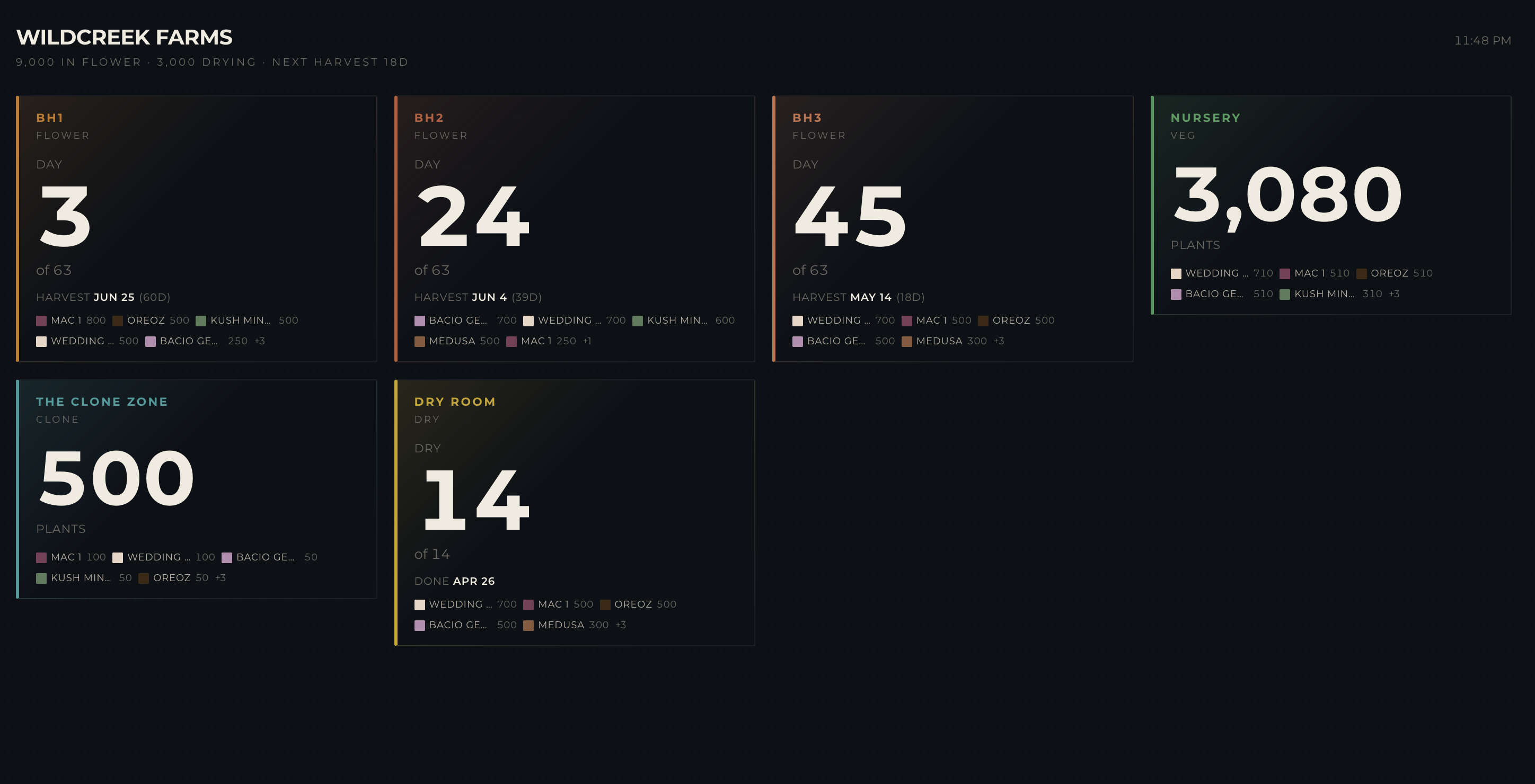
Wall dashboard — your whole facility on one screen.
What to click first.
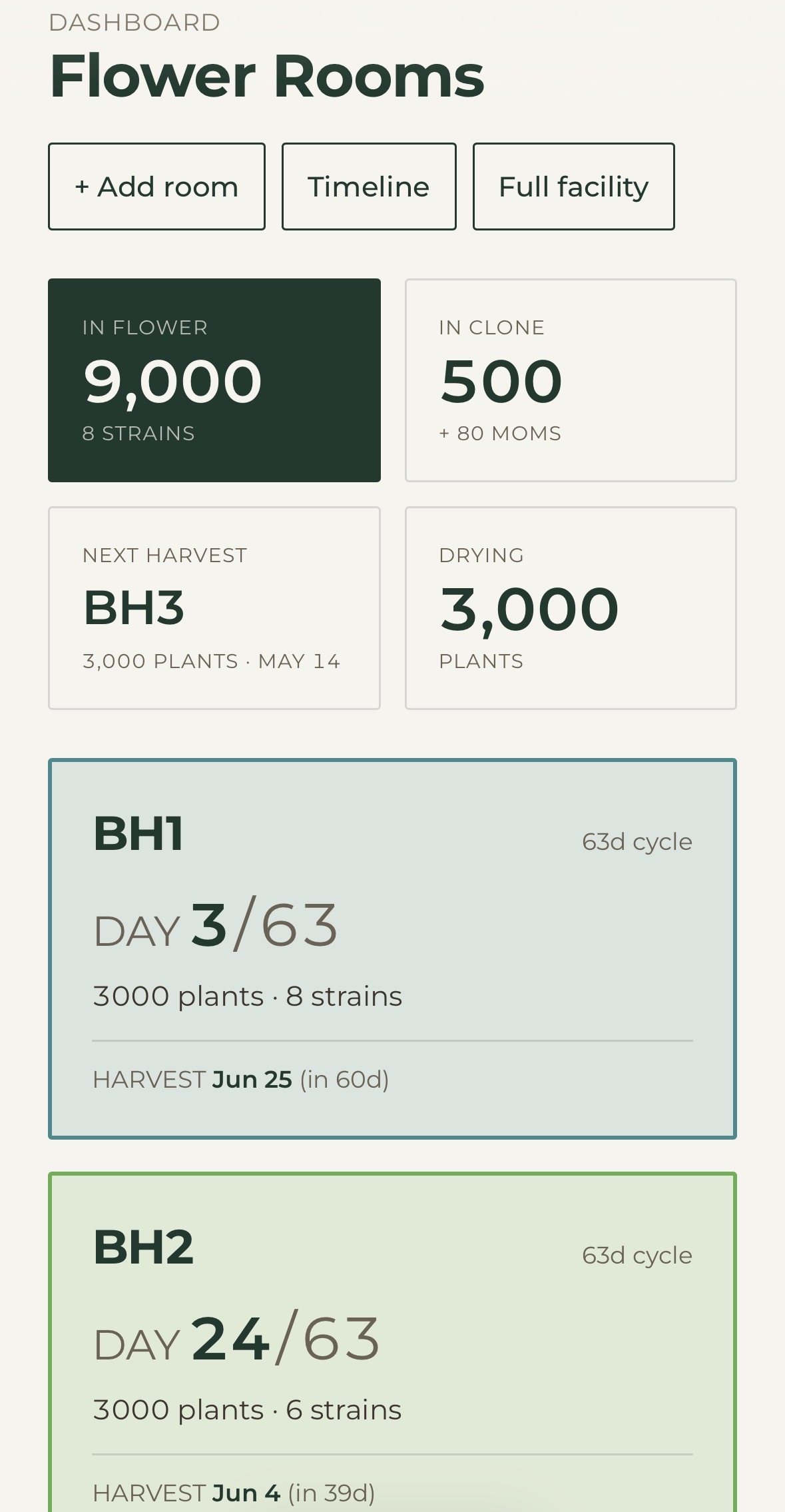
Start on the room dashboard
Wildcreek Farms is already loaded. You'll land on the full facility view — flower rooms mid-cycle, plant counts by room, day counters running, and the next harvest date right there.
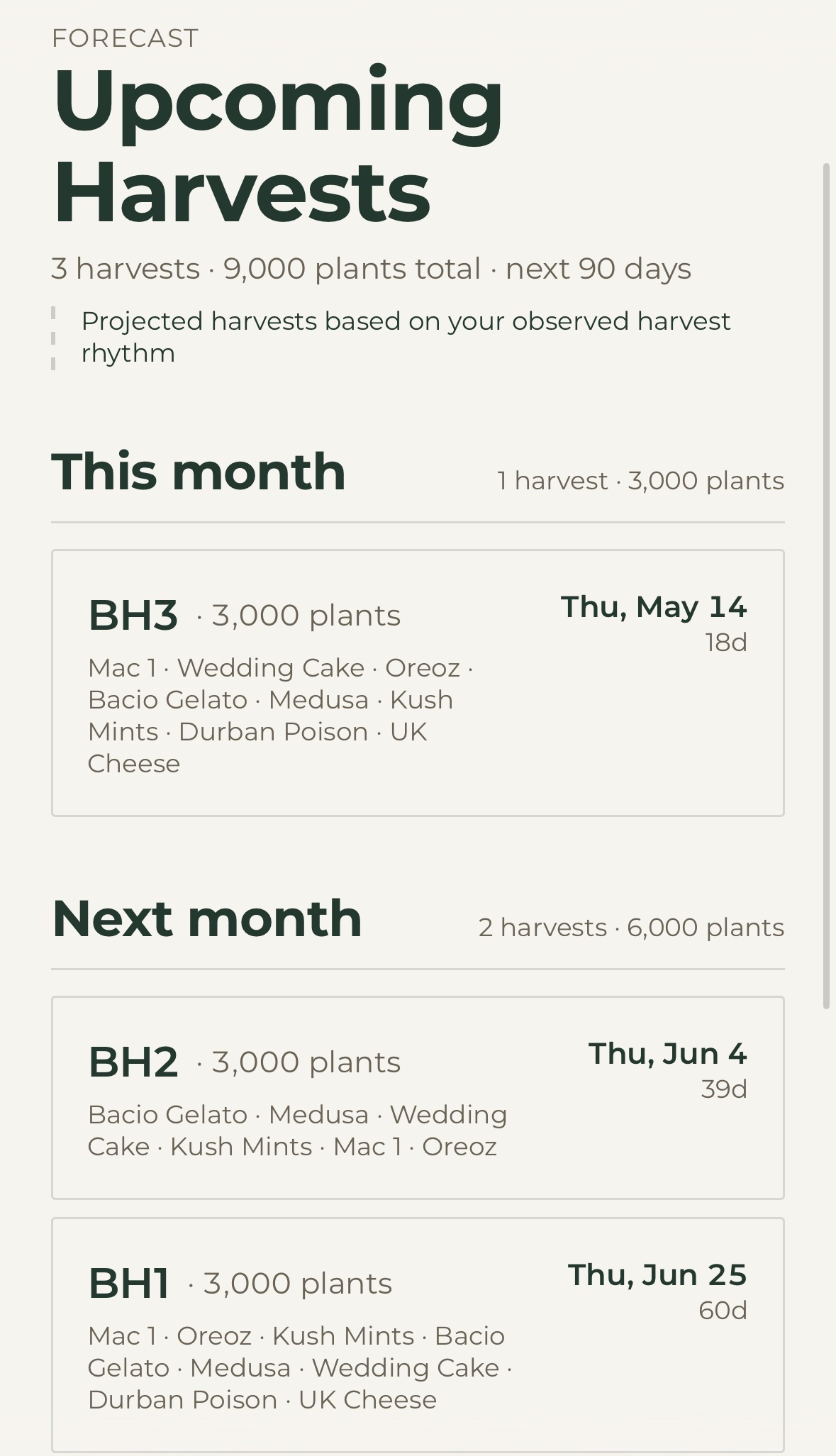
Click into what's coming
Open the forecast. Upcoming harvests by room, date, plant count, and strain. Then jump into the vault and see the finished weights from earlier pulls.
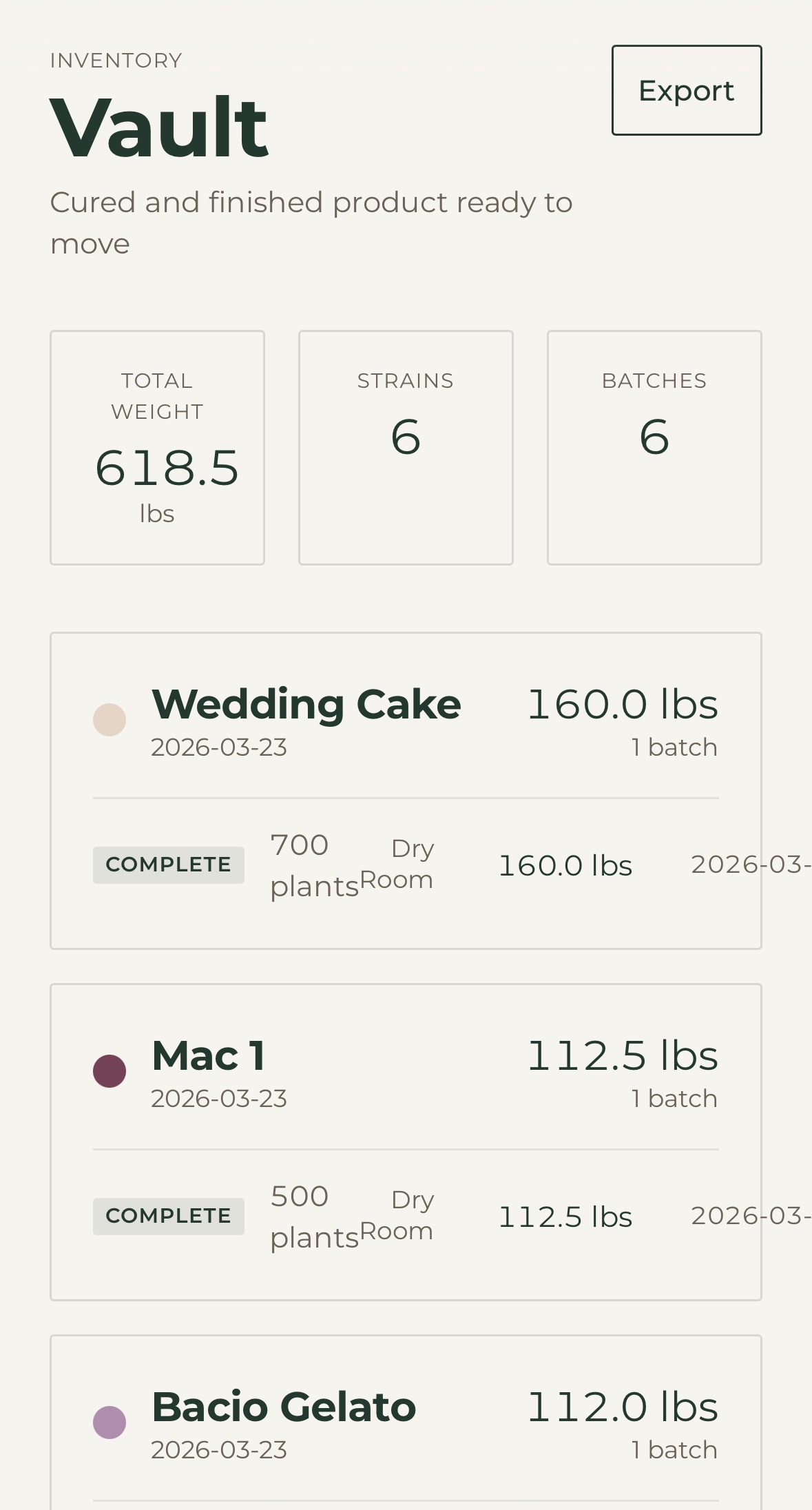
Check the vault
The vault has finished flower from earlier harvests, tied back to room and cycle. Total weight, strain mix, and what the back half of the facility looks like when everything is connected.
If you only have five minutes: dashboard, one flower room, forecast, vault, journal, inspections. That gives you the full loop from what's alive right now to what already came out the back.
The notes aren't demo filler. They're from BH2, May 2022—typed standing in the room before 7 AM. The inspection is a completed morning walk. The log shows the kinds of changes a real team makes during the week. No empty states. No filler data. No mystery about what the product does.
Want the backstory on where this data came from? Read why I built it.
Open the demo →Run the room.
Most teams are set up in a single sitting. The whiteboard comes down the same week.